
Shared assets are difficult to track.
When devices move between departments without a handoff record, teams cannot tell who has the equipment.
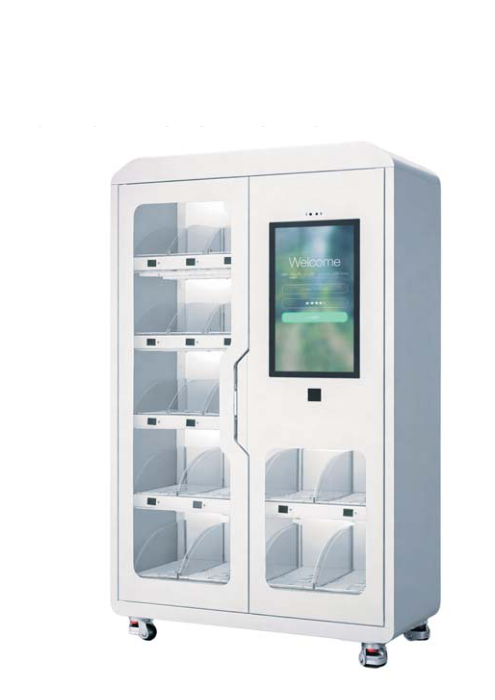
Solution
Smart storage for laptops, radios, tools, PPE, visitor items and shared equipment that need controlled pickup and return.
Direct answer
Workplace IT asset and tool checkout lockers let approved employees collect and return shared equipment with an access record, including outside desk hours when the site workflow allows it.
Operational challenges
When devices move between departments without a handoff record, teams cannot tell who has the equipment.
A staffed service desk can delay urgent laptop or radio pickup outside normal working hours.
Separate access rules help keep visitor belongings distinct from shared employee equipment.
Recommended approach
Shared access
Facilities teams can assign and track building, fleet and equipment keys alongside shared workplace assets.
An affordable configuration can start with a multi-key cabinet to reduce cost per key, then use individual compartments only where stricter accountability is needed.
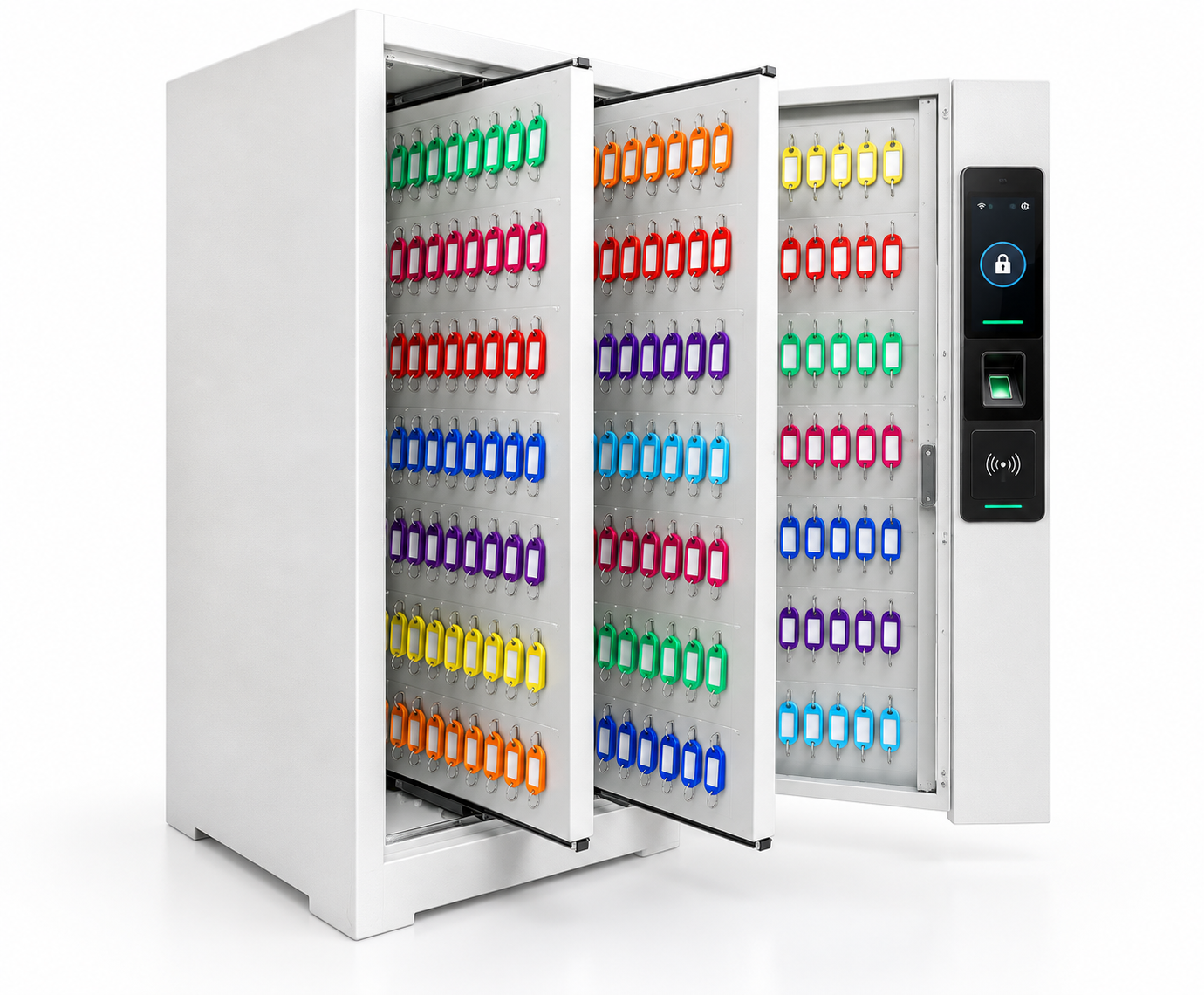
One controlled cabinet door holds multiple keys or key sets. Authorized users open the cabinet, and access events can be recorded for review.
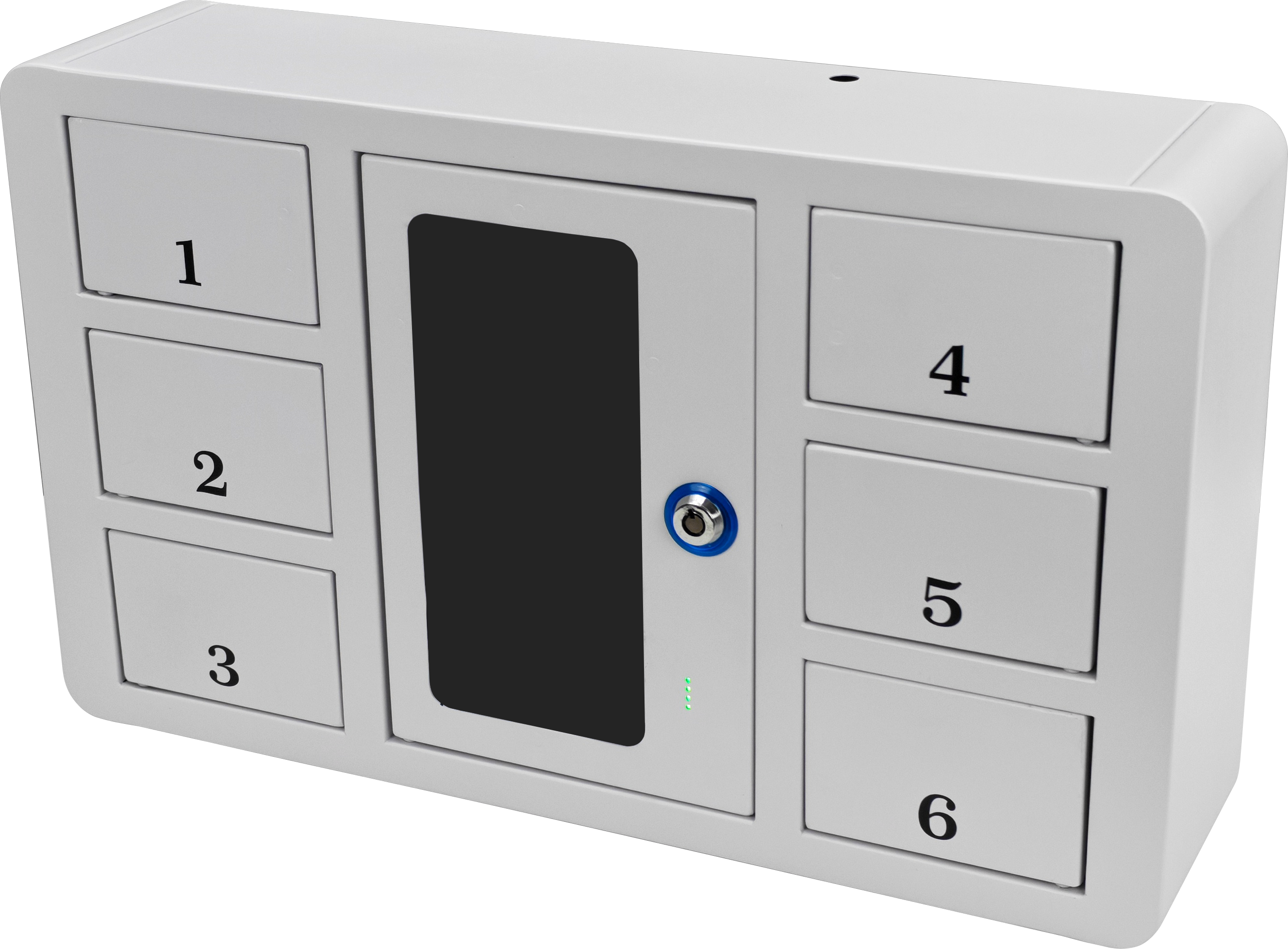
Each key or key set has a dedicated compartment. Individual doors make assignment and pickup more specific when a stricter chain of custody is needed.
FAQ
Smart storage for laptops, radios, tools, PPE, visitor items and shared equipment that need controlled pickup and return.
Yes. Locker counts, compartment sizes, access methods, user groups and workflows can be configured around the site.
A multi-key cabinet can lower the cost per key by placing multiple keys behind one controlled door. A one-key-one-door layout adds compartments where stricter individual accountability is needed. The right mix depends on key count and access policy.
Send the site type, location, approximate user count and current workflow problem through the request quote form.